# Setting up your profile
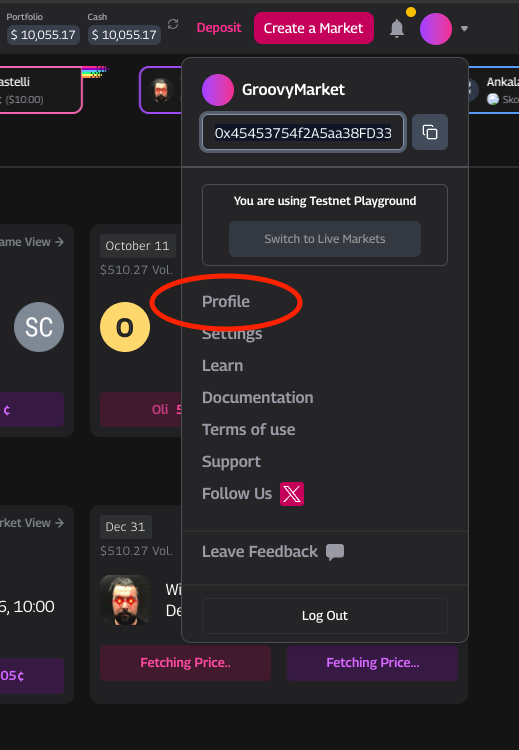
You can monitor your activity and markets through your Profile page. Access your profile by clicking on the drop-down button at the upper right corner of the Groovy Market homepage and choosing Profile.
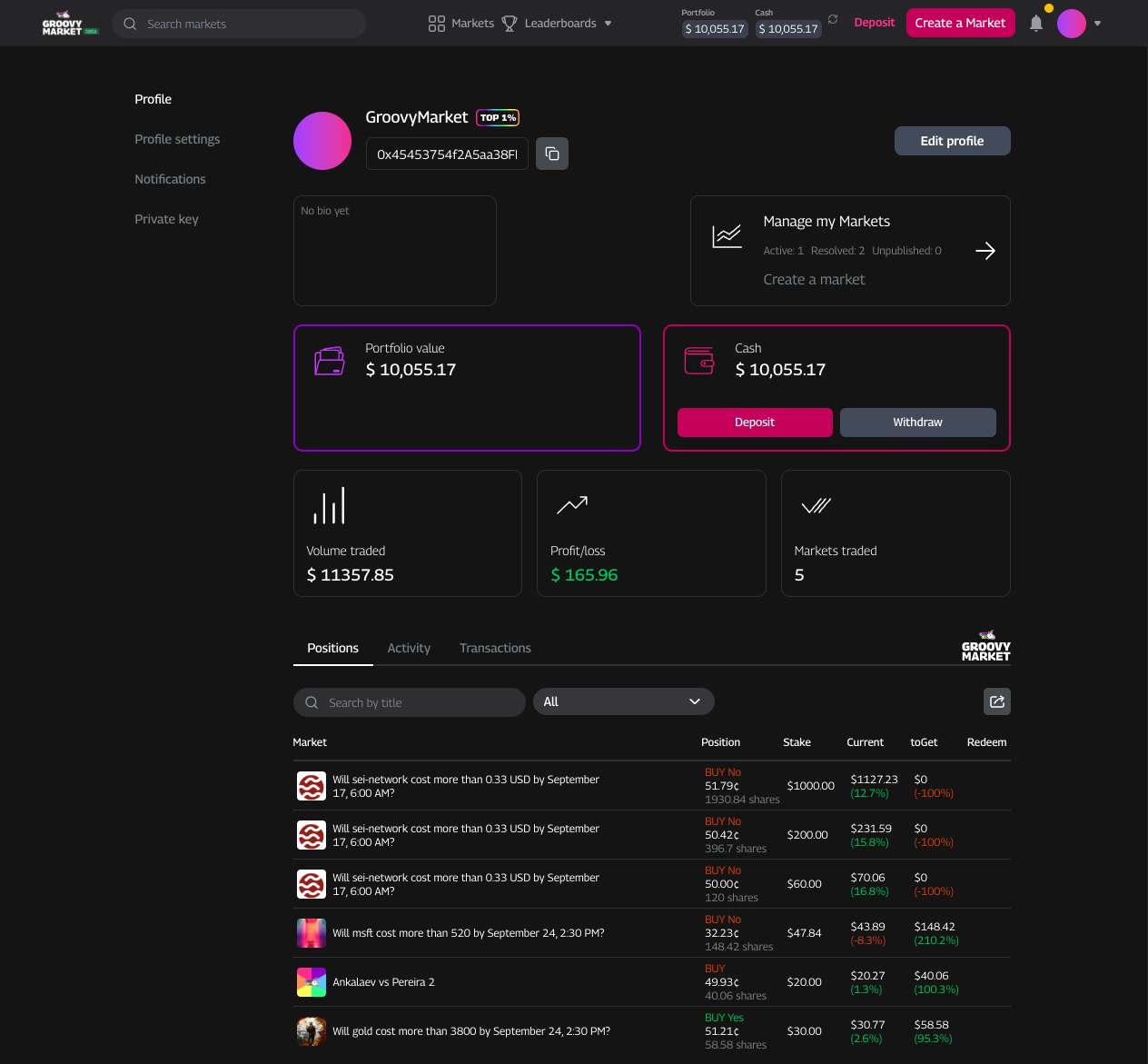
This is what you'll see on the Profile page:
* **Portfolio value**: Shows how much your account is worth overall. It includes the value of your open positions and any testnet cash you're holding.
* **Cash**: Shows how much testnet USDC you have on hand. You can use your testnet cash to enter new prediction markets.
* **Volume traded**: Shows the running total of the testnet USDC you've spent buying and selling shares. A higher number here just means you've been more active.
* **Profit/loss**: Shows how much you've gained or lost from your predictions. Here, you can see how well your predictions are performing.
* **Markets traded**: Shows the total number of prediction markets you've joined.
* **Positions**: Shows all the trades and markets you're currently involved in. It displays your current position (Yes or No) for each active market.
* **Open orders**: Shows all your Limit orders, or trades you placed at a specific price that haven't been filled yet.
* **Activity**: Shows a full log of your trading history, including market joins and settlements.
### **Editing your profile and settings**
Groovy Market lets you make changes to your profile and control your notification settings.
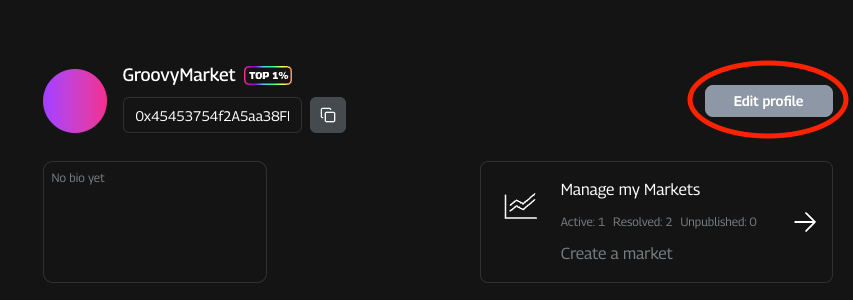
First, click the Edit profile button on your main Profile page.
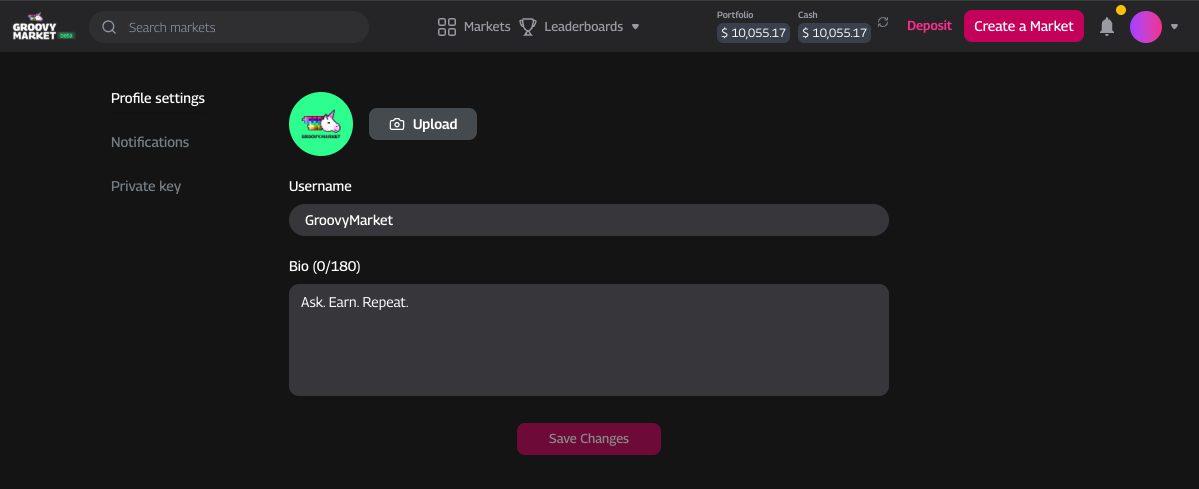
On the next page you'll be able to edit your profile details, such as:
* **Notification settings**: On the Notifications tab, you can choose to receive email notifications on volume traded, order fills, and market resolutions. You can toggle the on/off switch beside the corresponding option.
* **Username**: Choose a name that shows up in your profile, trades, and comments (instead of your wallet address or social handle).
* **Profile picture**: Choose a photo that will display in your profile and activities.
* **Bio**: Add a short description about yourself (maximum 180 characters).